Best Company to Digitize Home Movies: 8 Services Compared for 2026
The best company to digitize home movies depends on your priorities: Capture offers local drop-off and broad format support; Legacybox is widely available with straightforward mail-in ordering; and EverPresent provides white-glove service for large collections. For most families with mixed tapes and film, Capture's format range and local access makes it a strong default choice.

The best company to digitize home movies depends on what you are sending and what matters most to you. Capture is a strong choice for families with mixed videotapes and film who want item-level tracking, repairs, fast processing, and optional HD or 4K AI enhancement. Legacybox works well for people who prefer a prepaid kit, iMemories focuses on app-based viewing, and EverPresent offers more hands-on support for complex archives. Compare supported formats, total cost, transfer quality, turnaround time, tracking, and delivery options before choosing a service.
Best Home Movie Digitization Services at a Glance
This comparison uses currently published service information and regular pricing where available. Promotions and add-ons can change, so confirm the final quote before ordering.
Company | Best for | Video pricing* | Processing | Enhancement | Delivery |
Capture | Mixed collections + HD/4K | $19.99 SD / $29.99 FHD / $39.99 4K per VHS | 2–3 weeks after receipt | 1080p & 4K AI options | Cloud/download; USB/DVD optional |
Legacybox | Simple kit ordering | Kit-based; 2-item kit $69.98 | 4–6 weeks standard | No comparable 4K tier promoted | Cloud; USB/disc options |
iMemories | App and cloud viewing | $29.99 per tape regular price | About 1 week after receipt/approval | Optional AI enhancement | App/cloud; download; USB/DVD/Blu-ray |
EverPresent | White-glove archives | Standard tapes from $24 each for first 10 | Varies by project | Optional HD/AI enhancement | Cloud/app; USB/DVD |
ScanDigital | Per-item pricing | $28 per tape | Most orders 3–4 weeks | Premium transfer options | Download; USB/hard drive |
ScanCafe | Video + film pay-per-item | $28 per tape; $0.34/ft film | About 3–4 weeks for VHS | Varies by format | Digital access; USB/hard drive |
Southtree | Budget box workflow | Bundles from about $15/item | 4–6 weeks after receipt | Original-resolution transfer | Download; thumb drive; disc |
Forever Studios | Local/concierge service | VHS from $12 per tape on current local pages | About 2–4 weeks | Restoration/upscaling varies | USB, cloud, or DVD |
*Pricing and service details checked August 26, 2026.
Which Digitization Service Is Best for Your Needs?
Best for mixed home movies and HD/4K enhancement: Capture. Capture handles common videotapes and movie film, tracks individual items, and offers SD, 1080p, and 4K choices for VHS.
Best for simple kit-based ordering: Legacybox. Legacybox is convenient if you want to choose a prepaid box based on item count rather than price each tape or reel separately.
Best for app-based viewing: iMemories. iMemories is a strong fit if cloud access, mobile viewing, and easy family sharing are priorities.
Best for white-glove projects: EverPresent. EverPresent is better suited to large, unusual, or archival collections where consultation and customization matter.
How We Compared Home Movie Digitization Companies
We compared the factors that most directly affect safety, quality, cost, and usability rather than ranking companies on price alone.
· Supported formats, including VHS, VHS-C, Hi8, Video8, Digital8, MiniDV, Betamax, 8mm, Super 8, and 16mm where offered.
· Pricing structure, including per-item, per-foot, or kit-based charges.
· Transfer quality and whether HD, 4K, restoration, or AI enhancement options are available.
· Processing time after the provider receives the media.
· Item tracking, repair policies, and handling of damaged media.
· Digital delivery, cloud access, USB, DVD, and other output options.
1. Capture: Best Overall for Mixed Formats and HD/4K Options
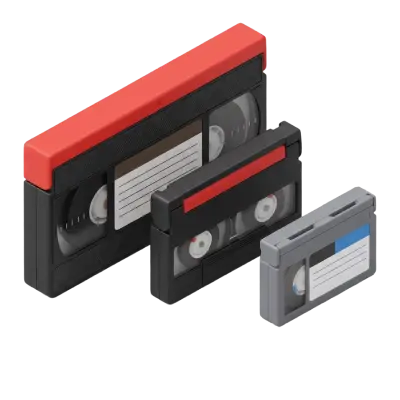
Capture handles videotapes, film reels, photos, slides, negatives, and other legacy media, making it practical for families with mixed collections. VHS digitization currently starts at $19.99 per tape for SD 480p, $29.99 for FHD 1080p, and $39.99 for UHD 4K.
The FHD and UHD tiers use frame-by-frame AI processing for de-interlacing, noise reduction, color correction, and upscaling. The original VHS source remains standard definition, so the higher tiers improve presentation on modern displays rather than creating detail that was never recorded.
Capture states that processing typically takes 2 to 3 weeks after an order arrives. Every order includes 90 days of MemoryCloud access, while USB and DVD delivery are optional. Tape repair is included when needed, and each item is barcoded and tracked through the facility. For families with older camcorder formats, VHS-C conversion can be handled alongside standard VHS in the same project.
Best for: Families who want broad format support, strong tracking, relatively fast processing, and a choice between standard transfer and enhanced HD/4K output.
2. Legacybox: Best for a Simple Kit-Based Process
Legacybox uses prepaid kits sized by item count. The current two-item Starter kit is listed at $69.98, with larger kits available for bigger collections. Standard processing is estimated at 4 to 6 weeks, with faster paid options available. Each item receives a barcode, and customers can choose cloud access, a thumb drive, or disc delivery.
Best for: Customers who prefer a simple box workflow and predictable item limits.
3. iMemories: Best for App-Based Viewing and Sharing
iMemories combines digitization with a strong cloud and mobile-app experience. Regular pricing is currently $29.99 per videotape, and the company also offers optional AI Enhancement. It advertises digital delivery in about one week after receipt and approval, making it one of the faster options in this comparison.
Best for: Families that prioritize streaming, mobile access, and easy sharing.
4. EverPresent: Best for White-Glove and Complex Archives
EverPresent offers a more customized archival service, including consultation, editing, and support for a wide range of consumer and professional formats. Standard consumer videotapes currently start at $24 each for the first 10, plus a service fee, and optional HD or AI-assisted enhancement is available.
Best for: Large, unusual, or professionally oriented collections that need more hands-on support.
5. ScanDigital: Best for Straightforward Per-Item Pricing
ScanDigital processes photo, film, audio, and videotape media at its U.S. facility. Its current videotape page lists $28 per tape, and the company says most orders are completed within 3 to 4 weeks. Digital downloads are available, with USB or hard-drive options for physical delivery.
Best for: Customers who prefer traditional per-item pricing and a straightforward transfer process.
6. ScanCafe: Best for Pay-Per-Item Video and Film Transfers
ScanCafe currently lists videotapes at $28 each and movie film at $0.34 per foot. It accepts common videotape formats as well as 8mm, Super 8, 16mm, Super 16, and 35mm film. VHS turnaround is listed at about 3 to 4 weeks, and delivery options include digital access, USB, or hard drive.
Best for: Customers who want clear per-item pricing across both video and movie film.
7. Southtree: Best for Budget-Oriented Box Ordering
Southtree uses a mail-in box model for videotapes, film, photos, and audio. Current bundles start at roughly $15 per item depending on the offer. Processing is listed at 4 to 6 weeks after receipt, and output options include digital download, thumb drive, or disc.
Best for: Budget-conscious customers who want a simple kit-style workflow.
8. Forever Studios: Best for Local and Concierge Service
Forever Studios operates from Boca Raton, Florida and offers walk-in, shipping, and concierge options in some Florida markets. Current local pages advertise VHS transfer from $12 per tape, with standard turnaround generally around 2 to 4 weeks. Delivery can include USB, cloud, or DVD.
Best for: Customers who value direct studio access, concierge handling, or a smaller-provider experience.
What to Look for Before Choosing a Home Movie Digitization Company
Supported Formats
Check each format individually rather than assuming a provider accepts everything. VHS, VHS-C, Hi8, Video8, Digital8, MiniDV, Betamax, 8mm, Super 8, and 16mm can require different equipment. If you have camcorder tapes, MiniDV digitization may need a different workflow from VHS.
Total Cost
Compare the final cost, not just the headline price. Check shipping, USB or DVD delivery, cloud subscriptions, enhancement upgrades, repair fees, long tapes, and expedited processing.
Transfer Quality
For analog videotapes, a standard transfer preserves the original signal, while HD and 4K services use cleanup and upscaling to improve how footage looks on modern screens. Ask what the provider actually does rather than assuming that a larger file automatically means more original detail.
Handling and Tracking
Home movies are often irreplaceable, so item-level tracking, secure handling, clear status updates, and a defined repair process matter. Photograph and inventory your tapes before shipping them.
Digital Delivery
Digital files are usually the most flexible option because they can be downloaded, copied, backed up, and shared. transferring VHS to USB can still be useful when you want a physical copy that works across computers and TVs.
Professional Digitization vs. DIY
DIY can make sense for a small number of healthy tapes if you already own reliable playback equipment and a compatible capture device. Professional digitization is usually more practical for large collections, damaged media, uncommon formats, or movie film because it avoids real-time capture work and adds tracking, repair, and quality-control processes.
Movie film in particular usually benefits from dedicated transfer equipment. professional film transfer can handle formats such as 8mm, Super 8, and 16mm without relying on an old projector.
What Is the Best Company to Digitize Home Movies?
There is no single best service for every collection. Choose Capture if broad format support, item tracking, repairs, fast processing, and optional 1080p or 4K enhancement matter most. Choose Legacybox for a simple prepaid kit, iMemories for app-based viewing, EverPresent for complex archival work, ScanDigital or ScanCafe for per-item pricing, Southtree for a budget box workflow, and Forever Studios for local or concierge service.
Before You Send Irreplaceable Home Movies
Before mailing or dropping off a collection, make a simple inventory of every tape and reel. Note the format if you know it, number the items, and photograph labels or cases. This gives you a record of what was sent and makes it easier to match the returned originals with the finished files.
Do not throw away the originals after digitization. A digital copy is easier to use, but the physical tape or film can still serve as an additional archive. After you receive the files, save them in at least two places, such as a computer or external drive plus a separate cloud backup.
For large family collections, ask the provider how filenames are assigned and whether labels, dates, or reel numbers can be preserved in the digital organization. A technically good transfer is much less useful if dozens of files arrive with generic names and no clear connection to the original media.
Finally, review the company’s policy for blank media, failed transfers, damaged tapes, mold, oversized film reels, and unusually long recordings. These are the situations most likely to create unexpected charges or delays, so they should be clear before the collection leaves your hands.
Frequently Asked Questions About Home Movie Digitization
What is the best company to digitize home movies?
The best provider depends on your collection. Capture is a strong choice for mixed tapes and film, especially if you want item tracking, included repairs, and optional 1080p or 4K enhancement. Legacybox is convenient for kit-based ordering, iMemories is strong for app-based viewing, and EverPresent is suited to more customized projects.
How much does it cost to digitize home movies?
Costs vary by format and provider. Videotapes are commonly priced per tape, movie film may be priced per foot, and some companies sell prepaid kits. Capture currently lists VHS at $19.99 for SD, $29.99 for FHD, and $39.99 for 4K, before optional shipping or physical-output charges.
Is it worth digitizing old home movies?
Yes, especially when the footage is irreplaceable. Digitization makes tapes and film easier to watch, copy, back up, and share without relying on aging VCRs, camcorders, or projectors.
Can VHS tapes be converted to HD or 4K?
Yes, but VHS is still a standard-definition source. HD and 4K services create enhanced and upscaled output using processes such as de-interlacing, noise reduction, color correction, sharpening, and upscaling.
How long does professional home movie digitization take?
Turnaround varies by provider. Capture currently states about 2 to 3 weeks after receipt, Legacybox estimates 4 to 6 weeks for standard processing, ScanDigital says most orders take 3 to 4 weeks, and Southtree lists 4 to 6 weeks after receipt.
Is it safe to mail old home movies?
Reputable providers use trackable shipping and internal order controls, but shipping irreplaceable media always carries some risk. Inventory your media, photograph labels and boxes, pack items carefully, and choose a provider that clearly explains its tracking and handling process.
Should I convert home movies to DVD or digital files?
Digital files are generally the better primary format because they can be copied to computers, external drives, cloud storage, phones, and smart TVs. DVDs can still be useful as an additional physical copy for relatives who prefer a disc player.
20% OFF + A FREE VAULT
You May Also Like

Choosing the Perfect Film Video Camera: Top 10 Recommendations for Filmmakers
Film video cameras record motion by capturing a rapid sequence of still images on photographic film — typically at 24 frames per second for cinema and 16–18 fps for home formats like 8mm and Super 8. Unlike digital video, film requires chemical development before it can be viewed, and the footage degrades over time without proper cold, dry storage.

Five Super 8 Projectors That Stand the Test of Time
Super 8 projectors operate similarly to standard 8mm projectors but are not interchangeable — Super 8 film has a different sprocket hole size and frame dimension than regular 8mm. Kodak introduced Super 8 in 1965 alongside a cartridge-loading system that eliminated manual threading. Working Super 8 projectors are available used through eBay and estate sales, though lamp replacements are increasingly difficult to source.

Hi-8 Tape Players, Converters, and Other Options to Watch Hi-8 Tapes
Hi8 tapes require compatible playback equipment, typically a Hi8 camcorder or specialized tape player. Because these devices are no longer manufactured, working units are becoming harder to find. Many people choose to digitize Hi8 tapes so the footage can be preserved and viewed without relying on aging hardware.