The Evolution of Memory Cards
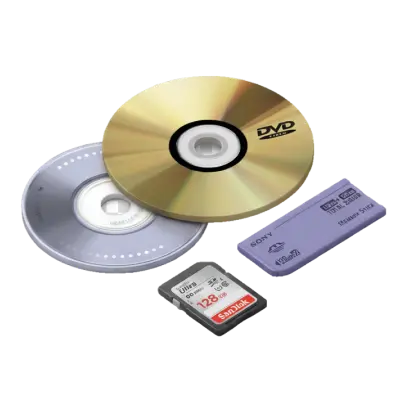
Memory cards evolved from the early CompactFlash format introduced in 1994 through SmartMedia, Memory Stick, and SD cards, which became the universal consumer standard by the mid-2000s. Capacity grew from megabytes to terabytes within three decades. SD cards now store more footage in a fingernail-sized chip than an entire shelf of VHS tapes could hold.

The days of floppy disks and CDs weren’t that long ago. Back then, we relied on clunky storage devices with limited space and slow transfer speeds. But then, memory cards changed everything. Small, powerful, and portable, these tiny storage wonders have been the backbone of digital storage for cameras, phones, gaming consoles, and more. From early SD cards with just a few megabytes of space to today’s lightning-fast, terabyte-sized storage solutions, memory cards have come a long way. But how did we get here? And why do they still matter in an age of cloud storage and digital streaming? Let’s dive into the fascinating journey of memory cards.
Jump to:
What Are Memory Cards?
Memory cards are small, portable storage devices used to save digital data. Unlike hard drives or USB flash drives, memory cards are designed for specific devices like cameras, smartphones, tablets, and gaming consoles. They use flash memory, meaning they can store data without needing a power source.

The Invention of Memory Cards: Who Created Them and When?
Memory cards as we know them today were first introduced in the 1990s, but their origins date back further in the history of flash memory technology.
The concept of flash memory, which powers memory cards, was invented by Dr. Fujio Masuoka, a Japanese engineer working for Toshiba in 1980. He developed NOR and NAND flash memory, which became the foundation for modern memory cards.
The first commercially available memory card was the PCMCIA card, introduced in 1990. These early cards were large and primarily used for industrial and computing applications. However, the real breakthrough came with SanDisk (formerly SunDisk), which introduced the CompactFlash (CF) card in 1994. This paved the way for smaller and more portable storage solutions.
In 1999, SanDisk, Panasonic, and Toshiba jointly developed the Secure Digital (SD) card, which became the most widely used memory card format. SD cards improved on previous designs by offering higher storage capacities, better data security, and more durability.
Evolution of Memory Cards
| Year | Memory Card Development |
|---|---|
| 1990 | PCMCIA cards introduced (large and mainly for computers) |
| 1994 | CompactFlash (CF) cards introduced by SanDisk |
| 1999 | SD cards launched by SanDisk, Panasonic, and Toshiba |
| 2003 | miniSD introduced for smaller devices |
| 2005 | microSD launched, becoming the standard for mobile storage |
| 2010s-Present | High-speed formats like UHS, XQD, and CFexpress emerge for professional applications |
Types of Memory Cards
There are several types of memory cards, each designed for different applications.
SD (Secure Digital) Cards and Their Uses
SD cards are the most widely used memory cards. They are found in cameras, laptops, drones, and gaming devices. SD cards come in various capacities and speed ratings, making them versatile for different applications.
microSD and miniSD Cards
microSD cards are the smallest form of SD cards and are commonly used in smartphones, action cameras, and tablets. miniSD cards, once popular, have been largely replaced by microSD due to their smaller size and higher storage capabilities.
CompactFlash (CF) Cards
Once a favorite among professional photographers, CF cards offer high-speed data transfer and durability. Though they are being phased out in favor of SD and CFexpress cards, they are still used in some high-end cameras.
Memory Stick (MS) Cards
A proprietary format developed by Sony, Memory Stick cards were used in Sony cameras, camcorders, and gaming devices. However, they have largely been replaced by SD cards.
XQD and CFexpress Cards
These next-generation memory cards are designed for professional photography and video recording. They offer extremely high speeds and are used in high-end cameras that require rapid data transfer rates.

Memory Card Storage Capacities & Speed Classes
Memory cards come in various capacities, from a few gigabytes (GB) to multiple terabytes (TB). Higher-capacity cards are ideal for 4K video recording, professional photography, and extensive file storage.
Speed Classes: UHS, V-Class, A-Class, and More
Speed ratings indicate how fast data can be read and written on a memory card. Common classifications include:
- UHS (Ultra High Speed) – Ideal for high-resolution video and burst photography.
- V-Class (Video Speed Class) – Designed for 4K and 8K video recording.
- A-Class (Application Performance Class) – Optimized for running apps on mobile devices.
Memory Card Adapters & Readers
Memory card adapters and readers play a crucial role in expanding the usability of memory cards. They allow memory cards to be used across different devices and ensure efficient file transfers. Whether you’re moving photos from a camera to a computer or using a microSD card in an SD slot, adapters and readers make data access more convenient.
Different Types of Adapters
Adapters allow smaller or proprietary memory cards to function in devices with standard slots. Some common types include:
- microSD to SD Adapter – Converts a microSD card into a full-sized SD card, making it compatible with cameras, laptops, and card readers.
- USB Memory Card Adapters – These plug into USB ports and support multiple memory card formats, making them useful for computers that lack built-in card readers.
- CF to SD Adapter – Allows SD cards to be used in devices designed for CompactFlash (CF) cards, commonly found in older cameras.
- Multi-Card Adapters – These adapters support multiple formats, allowing different types of memory cards to be inserted into a single slot.
- Wireless Card Readers – Some modern card readers offer wireless file transfers, enabling users to move data between memory cards and mobile devices without cables.
Each type of adapter helps bridge compatibility gaps, ensuring smooth data access across different platforms.
Preserving Data from Memory Cards
While memory cards are reliable, they can degrade over time. Regularly transferring data to a computer, external hard drive, or cloud storage prevents data loss and ensures files remain safe.
Best practices for long-term storage:
- Store memory cards in a dry, cool place to prevent damage.
- Regularly back up important files to multiple locations.
- Avoid overusing the same card to reduce wear and tear.
While cloud storage offers convenience, physical storage using external drives or multiple memory cards remains a safer option for long-term preservation of sensitive data.
Common Issues & Troubleshooting
Memory card corruption can happen due to improper ejection, physical damage, or software issues. Data recovery software can sometimes restore lost files, but regular backups are essential.
Some memory cards may not work with specific devices due to format incompatibility. Always check device specifications before purchasing a memory card.

Are Memory Cards Becoming Obsolete?
Even though memory cards are still widely used, many people now choose to transfer their files to more permanent digital formats to prevent data loss. Over time, SD cards can degrade, become corrupted, or simply be misplaced, making SD card transfer services an essential solution for preserving important data. Services like Capture’s SD Card to DVD Transfer allow users to move their files onto DVDs or digital storage, ensuring their memories and essential documents remain accessible for years to come.
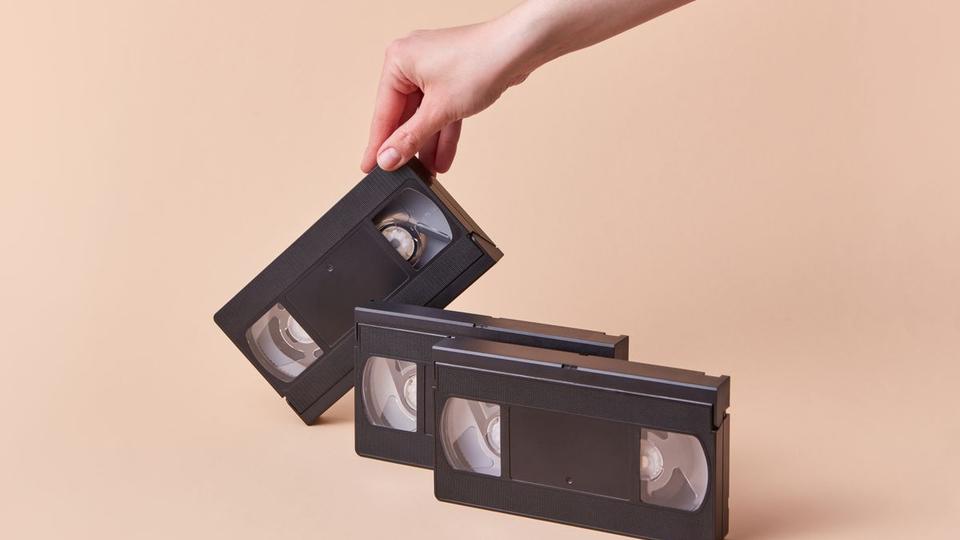
Memory cards are not outdated like VHS-C tapes, which have largely been replaced by digital formats due to their limited lifespan and the difficulty of finding compatible playback devices. However, just as VHS-C to digital conversion helps preserve old recordings, transferring data from memory cards ensures that important files remain safe and accessible as technology continues to evolve. While cloud storage and streaming have reduced reliance on physical media, memory cards still play a crucial role for photographers, videographers, and professionals who need reliable offline storage. For those looking to safeguard their data, digitizing files from memory cards before they become unreadable is a smart step toward long-term preservation.
The Future of Memory Cards
Memory cards have come a long way from their early days, evolving into high-capacity, high-speed storage solutions. While newer technologies like cloud storage and streaming continue to grow, memory cards remain valuable for portable, offline storage across various industries. Their convenience, durability, and versatility ensure they still have a place in modern digital storage. Whether for capturing high-resolution images, expanding device storage, or preserving important data, memory cards continue to serve a crucial role. As formats and capacities improve, they will adapt to meet the demands of future technology, ensuring their relevance for years to come.
Early access: 22% off orders $100+
You May Also Like

How to Transfer a CD to a USB Flash Drive: Music, Photos, and Files
To transfer a music CD to a USB flash drive, you have to rip it first: import the tracks as MP3 or AAC files with Windows Media Player or Apple Music, then copy those files to the drive. Dragging tracks straight from the disc only copies 44-byte ".cda" shortcuts that won't play, while photo and data CDs can be copied and pasted directly. A 16GB flash drive holds about 100 albums as 320 kbps MP3.

Does Walgreens Transfer VHS Tapes and Photos to Digital? What to Know Before You Decide
Yes, Walgreens transfers VHS tapes, film, photos, negatives, and slides to digital — but the work is outsourced to iMemories, not done in-store. Video converts to DVD, Blu-ray, or cloud; photos convert to USB only. Turnaround typically runs 3–5 weeks.
Forever Studios Reviews 2026: Is It Worth It? Quality, Pricing & Comparison
Yes, Forever Studios is a legitimate digitizing service. Based in Boca Raton, Florida, it specializes in transferring VHS tapes, camcorder tapes, film reels, photos, slides, negatives, and audio cassettes to digital formats. Most Forever Studios reviews praise the company's restoration quality and careful handling of sentimental media. The most common criticisms focus on quote-based pricing, longer-than-expected turnaround for some orders, and uncertainty over whether the Forever Gold upgrade delivers enough additional value. If preserving aging videotapes is your priority, Capture's VHS to Digital service includes published pricing, AI-enhanced restoration, and predictable turnaround times, making it easier to compare before placing an order.