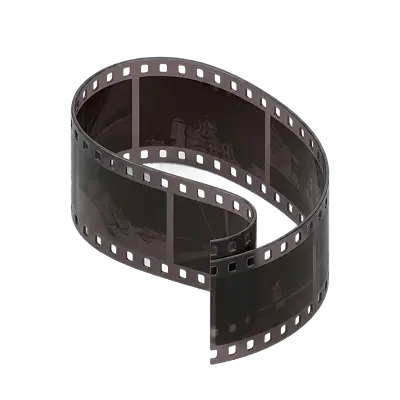
How to View 8mm Film Without a Projector
The most reliable way to view 8mm film without a projector is professional digitization, which converts each frame into a digital file watchable on any device. Smartphone apps and DIY lightbox setups exist but cannot replicate motion or deliver consistent results. Professional scanning is the only method that produces watchable footage.

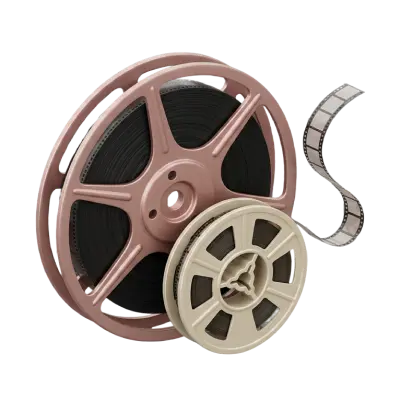
You found a reel of old family film but no projector. Can you still see what is on it? Yes. You can view 8mm film without a projector using a film editor/viewer, lightbox and magnifier, digital camera, film scanner, or professional digitization service. The best method depends on whether you simply want to identify what is on a reel or actually watch the footage as a moving video. A lightbox or film viewer works well for inspecting individual frames, while scanning or digitizing the film lets you watch the complete movie on a TV, computer, or phone.
Before handling old film, check its condition and confirm whether you have Standard 8 or Super 8. The two formats look similar but have different frame and perforation designs, so knowing the difference between 8mm and Super 8 film can help you choose the right viewing equipment.
Ways to View 8mm Film Without a Projector
Method | Can you watch motion? | Best for |
|---|---|---|
Vintage film editor/viewer | Yes, manually | Previewing a reel |
Lightbox + magnifier | No | Identifying individual frames |
Digital camera | Not easily | Capturing individual frames |
8mm film scanner | Yes, after scanning | DIY digitization |
Professional digitization | Yes | Large, valuable, or fragile collections |
1. Use a Vintage 8mm Film Editor or Viewer
Before digital editing, filmmakers used small film editors and viewers to inspect, cut, and splice 8mm footage.
These devices usually have two reel arms, a small illuminated viewing screen, and a hand crank or mechanical transport that moves the film through the viewer. Unlike a full projector, they are designed for close-up inspection rather than projecting an image across a room.
A film viewer lets you move slowly through the reel and see the images in sequence. Depending on the model, cranking the film can create a basic moving picture on the small screen.
Best for: checking what is on a reel before deciding whether to digitize it.
Advantages:
Gives you a moving preview
No full-size projector required
Vintage viewers can still be found secondhand
Useful for identifying sections of a reel
Limitations:
Small viewing screen
Requires compatible vintage equipment
Old mechanisms can still damage fragile film
Not convenient for sharing with family
If you decide you actually want the traditional full-screen experience, a working 8mm film projector is still an option, but a viewer is usually simpler when your main goal is identifying footage.
2. Use a Lightbox and Magnifying Glass
For the simplest solution, place the film over an evenly illuminated lightbox and examine the frames with a magnifying glass or photographer's loupe.
You can also use another soft, even light source in a pinch, but avoid anything that produces excessive heat.
Because each frame on an 8mm reel is tiny, a magnifier makes it much easier to recognize faces, locations, and events.
To do it safely:
Work on a clean surface.
Hold the film by its edges.
Place a short section over the lightbox.
Use a magnifier to inspect individual frames.
Wind the film back carefully when finished.
This method does not let you watch the film as a moving movie. It is best when you simply want to answer questions such as “Is this the family vacation reel?” or “Who is in this film?”
Avoid pulling out large amounts of film or leaving loose footage on the floor or table, where it can become scratched or tangled.
3. View Individual Frames With a Digital Camera
A digital camera or smartphone can also help you see individual frames more clearly.
Place the film over a clean, evenly illuminated surface and photograph it using a camera capable of focusing at very close range. A DSLR or mirrorless camera with a macro lens generally gives you more control than a phone.
You can then enlarge the photograph on a computer or screen.
This works well for identifying footage but is not an efficient way to recreate an entire movie. Turning hundreds or thousands of photographed frames into smooth video requires precise positioning, consistent exposure, cropping, and editing.
Best for: examining a few frames without buying dedicated equipment.
If your goal is to capture the entire reel, a purpose-built scanner is considerably more practical.
4. Use an 8mm Film Scanner
A digital 8mm film scanner is one of the most practical ways to watch an entire reel without a traditional projector.
Rather than projecting the film onto a wall, these machines move the reel through an imaging system and capture the frames digitally. The result is a video file that can be watched on modern devices.
Consumer film scanners are available for Standard 8 and Super 8, although compatibility varies by model.
Advantages:
Creates an actual digital video
No vintage projector required
Footage can be watched repeatedly without rerunning the original reel
Digital files are easier to share and back up
Limitations:
Requires buying equipment
Scanning can take considerable time
Results depend on the scanner and film condition
You may still need to edit, crop, or correct the final video
A DIY scanner makes the most sense if you have multiple reels and enjoy working with the equipment. For a small collection, buying a scanner solely for one project may cost more than having the footage professionally transferred.
5. Digitize the Film Professionally
If you want to actually watch the complete film without buying or maintaining old equipment, professional digitization is the simplest option.
A professional transfer converts the frames on your 8mm reel into a digital video that can be viewed on computers, phones, TVs, and other modern devices.
This is particularly useful when:
You have many reels
The footage is irreplaceable
The film is old or fragile
You do not own scanning equipment
You want to share copies with family
You do not want to spend hours scanning reels yourself
Professional 8mm film to digital conversion also means you can keep the original physical reels while using the digital versions for everyday viewing.
Check the Film Before You Try to View It
Before using any mechanical viewer or scanner, inspect the reel.
Old film can develop:
Broken sprocket holes
Loose or failing splices
Curling or warping
Brittleness
Mold
Surface dirt
Shrinkage
A vinegar-like odor
A damaged reel may jam or tear when pulled through a viewer, scanner, or projector.
Film shrinkage deserves particular attention because even small dimensional changes can affect how the perforations interact with mechanical equipment. If your reel looks distorted or no longer lies flat, learn how film shrinkage affects playback before putting it through a machine.
When in doubt, do not use your most important reel to test unfamiliar equipment.
Can You Watch Super 8 Film Without a Projector Too?
Yes. The same general options work for Super 8: film viewers, lightboxes, magnification, compatible scanners, and professional transfer.
The important part is equipment compatibility. A viewer or scanner designed only for Standard 8 may not work correctly with Super 8.
Super 8 also sometimes includes a magnetic soundtrack along the edge of the film. A lightbox or basic viewer can show you the pictures but cannot reproduce that sound. Digitization with equipment capable of handling the appropriate audio format is necessary if you want to preserve both the image and soundtrack.
What's the Easiest Way to Watch Old 8mm Film?
If you only want to see what is on a reel, start with a lightbox and magnifier. It is inexpensive and requires very little setup.
If you want to watch the entire reel as a movie, digitization is more practical.
A vintage film editor sits somewhere in between: it lets you preview footage in motion but does not provide the convenience or shareability of a digital copy.
Your goal | Best option |
|---|---|
Identify what's on the reel | Lightbox + magnifier |
Preview footage manually | Vintage film viewer |
Inspect a few frames closely | Digital camera |
Digitize many reels yourself | Film scanner |
Watch and preserve family movies | Professional digitization |
View Your 8mm Movies Without Relying on Old Equipment
You do not need an 8mm projector to discover what is on an old family reel. A lightbox or film viewer can help you inspect the footage, while a scanner or professional transfer turns it into a video you can actually watch.
For irreplaceable family movies, creating a digital copy has another advantage: you no longer need to run the original film through mechanical equipment every time someone wants to see it.
Capture has helped families preserve analog memories for more than 25 years, including Standard 8, Super 8, and 16mm film. Once your film is digitized, you can watch and share those memories on modern devices while still keeping the original reels.
You May Also Like
How to Scan Film Negatives: The Complete Guide (DIY vs. Professional)
The best way to scan film negatives depends on your collection, budget, and the quality you want. Compare DIY methods with professional scanning, learn which option works best for 35mm, 110, APS, and medium format film, and see when Capture provides the best results.
Why Is My Old Film Pink? Causes, Restoration, and Preservation Tips
Old film turns pink or magenta because color film contains three dye layers — cyan, magenta, and yellow — and the cyan and yellow layers break down much faster than the magenta layer. As those two dyes fade, magenta becomes dominant, giving the footage its characteristic pink or red cast. This is called color dye fading, particularly Eastmancolor stocks manufactured before Kodak introduced low-fade film stocks in the early 1980s.. The effect is permanent and progressive, but much of the original color can still be recovered digitally if the film is scanned before fading becomes too severe.

5 Alternative Options to Costco's Film Transfer Service
Costco's film transfer service has been discontinued. Alternatives include Capture, which handles 8mm, Super 8, and 16mm with local drop-off for Atlanta customers, and Legacybox or ScanCafe for mail-in orders. For best results, look for a service that uses frame-by-frame scanning rather than telecine projection.