Where Can I Convert VHS to Digital? 8 Places Compared for 2026
You can convert VHS to digital at a mail-in lab ($15–$35 per tape at regular prices), at a store photo counter like Walmart, CVS or Sam's Club ($17.94–$34.99 for a typical tape), at a local transfer shop, at a public library Memory Lab for free, or at home with a $40–$210 converter. Mail-in labs usually take 2–6 weeks. Libraries and DIY cost little but need hours of your own time per tape.

You can convert VHS to digital at a mail-in lab ($15–$35 per tape at regular prices), at a store photo counter like Walmart, CVS or Sam's Club ($17.94–$34.99 for a typical tape), at a local transfer shop, at a public library Memory Lab for free, or at home with a $40–$210 converter. Mail-in labs usually take 2–6 weeks. Libraries and DIY cost little but need hours of your own time per tape.
If you are asking "Where can I convert VHS to digital?", you have more options in 2026 than most people expect, and they differ a lot in price. The same 2-hour tape costs $15 at one company, $34.99 at another, and nothing at a library if you sit with it for two hours.
Capture has digitized home movies since 1999 and does the lab work behind the Walmart, CVS and Sam's Club tape transfer services, so we see every route below from the inside. This guide compares eight places to take your tapes, with prices checked in late October 2026, and the questions to ask before you hand them over.
Where Can I Convert VHS to Digital? 8 Options at a Glance
Where | Example | Price (as of Nov 2026) | Turnaround | Best if you... |
|---|---|---|---|---|
Mail-in lab | Capture, Legacybox, iMemories, Kodak Digitizing, Southtree | $15–$35 per tape (regular prices) | 2–6 weeks | have 5+ tapes and want it done for you |
Store photo counter | Walmart, CVS, Sam's Club, Walgreens | $17.94–$34.99 for a typical tape | 2–4 weeks | want to drop off locally |
Local drop-off studio | Capture in Norcross, GA; independent shops | Varies; Capture is $19.99 per tape | 2–3 weeks at Capture | live nearby and don't want to ship |
Public library Memory Lab | Nashville Public Library, Los Angeles Public Library | Free | One reserved session per visit | have a few tapes and some patience |
DIY at home | VCR + VIDBOX, Diamond VC500 or ClearClick | $40–$210 for the device, plus a VCR | Real time: 2 hours per 2-hour tape | have a working VCR and a few tapes |
Tape repair specialist | Pacific Video Repair | Higher than standard transfer | Varies | have moldy, snapped or water-damaged tapes |
Video editing firm | Local production companies | Transfer plus editing fees | Varies | want a finished, edited film |
Freelancer or custom service | Small local businesses | Quote-based | Varies | need something non-standard |
How Digital Conversion Works
Every option above performs the same three steps. First, the VHS tape is played on a VCR or vintage camcorder. Second, a capture device turns the analog signal into a digital video file, usually MP4. Third, depending on the service, the file is cleaned up, upscaled, and delivered by cloud download, USB drive or DVD.
What changes from place to place is who owns the equipment, who sits through the real-time playback, and what happens to the picture between steps two and three. VHS tapes won't last forever, and many are already showing their age, so the order of the steps matters: a worn tape needs cleaning and a well-maintained deck before anything is recorded.
The 8 Places to Convert VHS Tapes, Compared
1. Mail-in digitization labs
Online mail-in services are the most popular way to digitize VHS tapes. You order online, ship your tapes, and get digital files back, usually by cloud download. No equipment or technical knowledge is required. Prices checked on each company's site on October 30, 2026:
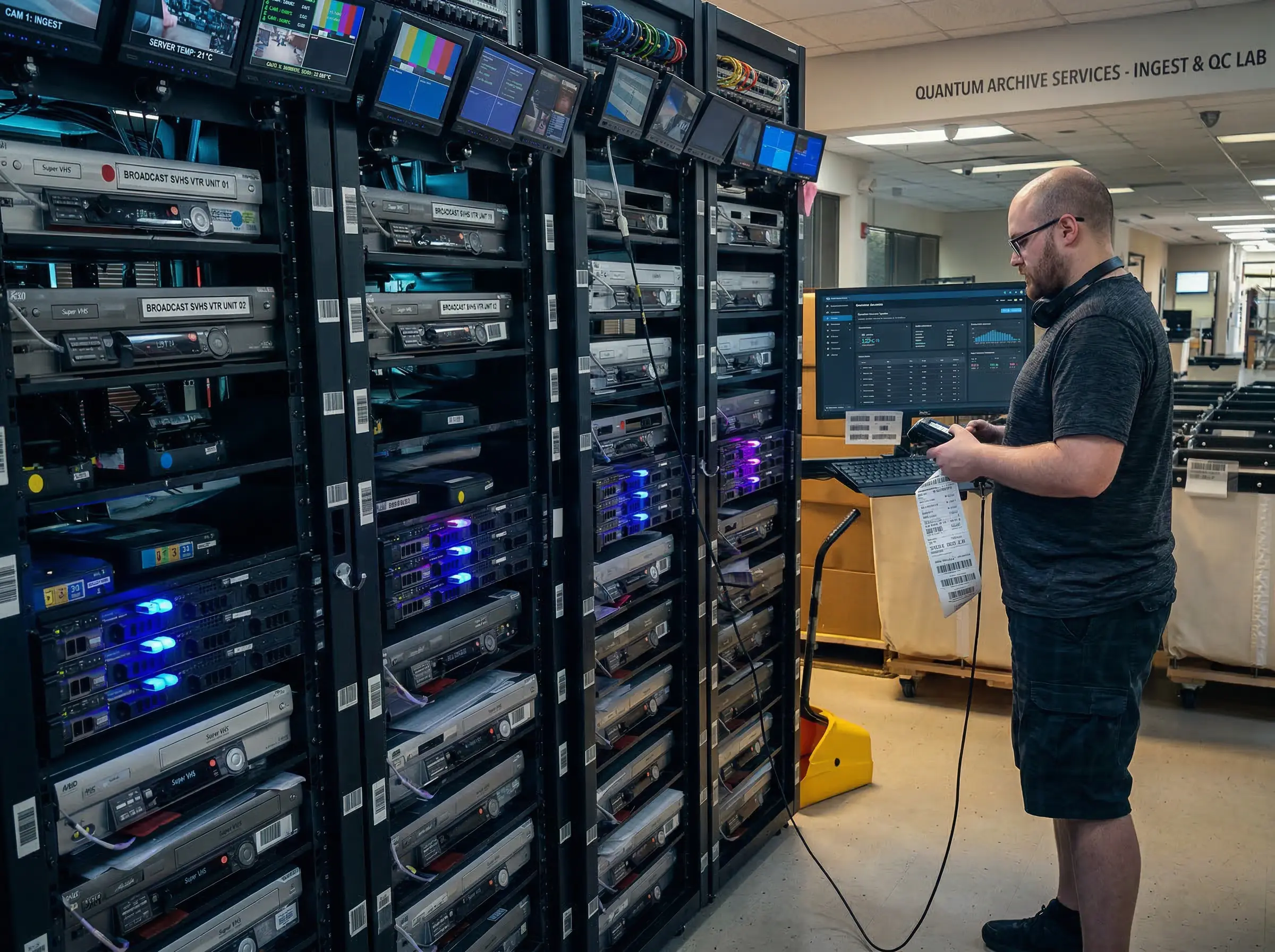
Mail-in labs run many tapes at once on professional decks, which is why their per-tape price stays low.
Capture: $19.99 per tape in SD, $29.99 in Full HD (1080p) or $39.99 in 4K, regardless of tape length. Processing takes 2–3 weeks after your tapes arrive, every order includes 90 days of MemoryCloud access, and return shipping is $12.49 per order. The Full HD and 4K tiers process footage frame by frame to remove interlacing and upscale it while keeping the original frame rate. Capture's VHS to digital conversion service page lists all supported tape types.
Legacybox: kit-based, priced by item count: $69.98 for 2 items or $319.98 for 10 at regular price (a 40% sale was running on October 30). Digital, thumb drive or DVD output costs extra, and standard processing is 4–6 weeks.
iMemories: $29.99 per tape, cloud $7.99 per month after a 30-day trial. Files go online about 2 weeks after you approve the order.
Kodak Digitizing: box-based, $299.99 for 10 items at regular price (50% off during an October sale), about 4–6 weeks.
Southtree: $15 per tape plus a required output fee ($19.99 for 10 tapes), about 4–6 weeks.
Compare reviews, cost, reliability and tracking before deciding. We may be biased, but we believe Capture is the best company to digitize home movies, because every tape is barcoded and tracked in-house from intake to return.
2. Retail store photo counters
Walmart, CVS and Sam's Club sell tape transfers through their photo services, and Capture is the lab doing the transfer work for all three. Walgreens sells a similar service fulfilled by iMemories. Prices and options differ by retailer, so the details are in the next section. Not every store accepts drop-offs, so check before you go.
3. Local drop-off studios and shops
Many areas have local services that convert old VHS recordings, either as a standalone business or inside a camera shop, pharmacy or electronics store. Dropping tapes off in person is convenient, but quality varies widely between shops, so ask the questions in the checklist further down.
Some local shops can't handle less common tapes. If you have PAL, VHS-C, S-VHS, or S-VHS-C cassettes, confirm the shop has the right decks.
If you're near Atlanta, Capture offers a local drop-off option at its Norcross, Georgia studio, where all of its digitization is done. Walk-ins are welcome Monday to Friday, and the prices and HD or 4K options are the same as for mail-in orders. Nostalgic Media, also in the Atlanta area, has operated since 1989 and accepts both walk-in and mail-in tape transfers. For other cities, our guide to finding a video transfer service near me covers what to look for.
4. Public library Memory Labs
A growing number of public libraries run free, self-service digitization studios, often called Memory Labs. You reserve a time slot, bring your tapes and a drive, and do the transfer yourself on the library's VCR and converter.
Two current examples:
Nashville Public Library opened a free Memory Lab at its Donelson Branch in March 2026, with a VHS-to-digital converter, reservable four-hour sessions and staff help for the first hour, according to the library's launch announcement. You bring an external hard drive for the files.
Los Angeles Public Library runs a free DIY Memory Lab for photo, video and audio. You need an LAPL card, an online orientation and a signed user agreement before booking.
The catch is time. A four-hour slot covers about two full tapes, recorded at standard definition with no cleanup, and slots in popular labs book up weeks ahead. For a handful of tapes, it is the cheapest route there is.
5. DIY conversion at home
Doing the transfer yourself is often the most budget-friendly option for a small collection. A capture device connects your VCR to a computer or records straight to a USB drive, and our comparison of the best VHS to digital converters covers which ones work with Windows 11 and Mac. Prices range from $39.99 for the Diamond VC500 to $209.95 for the standalone ClearClick 3.0.
Capture runs in real time, so a box of 20 tapes is a 40-hour project. You also need a VCR that plays cleanly, which may mean finding a VCR for sale at $30–$300. Results vary, and it takes practice to get good captures. If you don't have a deck at all, see how to convert VHS to digital without a VCR.
6. Specialized VHS repair services
If your tapes are damaged, a VHS repair service can be an essential first step. These businesses focus on restoring cassettes and often transfer the footage as part of the job. Pacific Video Repair, for example, repairs tapes with mold, mildew, flood, fire and humidity damage.
The downside is cost: repair specialists are generally more expensive, sometimes much more so. For tapes with visible white mold on the reels, a snapped tape, or water damage, it is still the safest path. Standard labs, including Capture, handle minor repairs and cleaning, but serious damage needs a specialist.
7. Professional video editing firms
Video editing firms also offer tape transfer, but you'll usually pay for editing too. In return, they can trim and restore footage, add titles and music, and put the result on DVD or Blu-ray. That makes them a good fit for 40th anniversary gifts, memorial videos and family reunions. Get quotes from two or three firms, since pricing is usually project-based.
8. Freelancers and custom conversion
A freelancer or small business can offer custom options like scene-by-scene editing, frame-by-frame restoration or special packaging. This gives you more control over price and turnaround, but check references carefully: you are handing irreplaceable tapes to one person, with no tracking system behind them.
Which Stores Convert VHS to Digital?
Four national chains sell VHS transfers as of November 2026. Three of them use Capture as their lab:
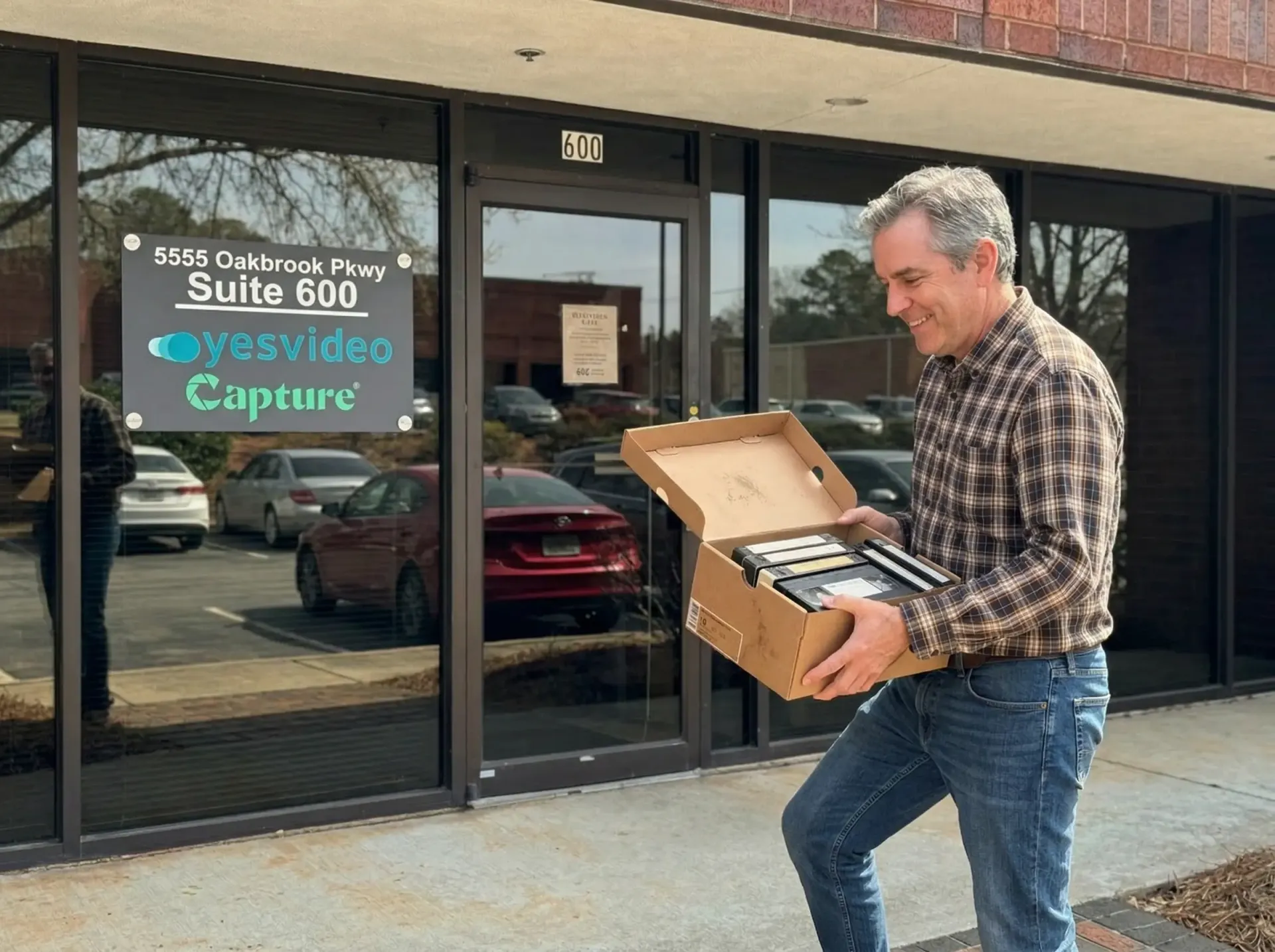
Store and studio drop-off saves you packing a shipment, but the tapes usually still travel to a central lab.
Store | Who does the transfer | Price (as of Nov 2026) | Output | Stated turnaround |
|---|---|---|---|---|
Walmart Photo | Capture | $15.96 for the first 30 minutes of each tape + $5.46 per extra 30 minutes | 60-day digital copy; USB +$12.96 per order; DVD +$3.96 per disc | 3–4 weeks |
CVS Photo | Capture | $25.99 per 2 hours to DVD, $34.99 per 2 hours to USB | One DVD or USB plus a 60-day digital copy | 3–4 weeks |
Sam's Club | Capture | $17.94 per tape, any length | 90-day download; USB +$11.24; DVD +$5.24 per copy | 2–3 weeks |
Walgreens Photo | iMemories | Starting at $34.99 | DVD | Not stated |
Walmart bills by the half hour, so a 2-hour tape costs $32.34 and a 6-hour EP tape $76.02. CVS bills in 2-hour blocks and is available at select stores. Sam's Club charges a flat rate per tape, which makes long tapes cheaper there. Walgreens is the only one of the four that doesn't use Capture.
Ordering directly from Capture costs $19.99 per tape for any length, with cloud delivery included and turnaround of 2–3 weeks after arrival. Retail orders travel through the store's queue first, which is one reason their stated turnaround runs longer.
What 10 Tapes Cost at Each Place
Headline prices are hard to compare because every place bills differently. Here is the same collection, ten 2-hour VHS tapes, priced at each option using regular prices as of November 2026 (before tax):
Where | 10 two-hour tapes | What's in the price |
|---|---|---|
Southtree | $169.99 | $15 per tape + required output fee ($19.99) |
Sam's Club | $179.40 | $17.94 per tape, download included |
Capture (SD) | $212.39 | $19.99 per tape + $12.49 return shipping, cloud included |
CVS Photo (to DVD) | $259.90 | $25.99 per 2 hours, one DVD per tape + digital copy |
iMemories | $299.90 + shipping kit | $29.99 per tape, download included |
Kodak Digitizing | $299.99 | 10-item box at regular price, 30-day download |
Walmart Photo | $323.40 | $32.34 per tape ($15.96 + 3 × $5.46), digital copy |
Legacybox | $339.97 | 10-item kit $319.98 + $19.99 digital output |
Capture (Full HD) | $362.38 | $29.99 per tape + 256GB USB ($49.99) + $12.49 shipping |
DIY at home | $100–$370 + about 20 hours | VIDBOX ($69.99) + used VCR ($30–$300) |
Library Memory Lab | Free + about five 4-hour sessions | Bring your own drive |
Two things stand out. Sales change the order quickly: Legacybox and Kodak were 40–50% off on October 30, 2026, which would put them near the top of the table that week. And length changes everything at Walmart: the same ten tapes cost $159.60 if they are 30 minutes each, but $760.20 if they are 6-hour EP recordings. Flat per-tape pricing at Capture, Sam's Club, Southtree and the box services doesn't change with length.
What You Get Back: Files, USB or DVD?
Where you convert VHS to digital also decides the format you receive, and that matters more in 10 years than it does today.
MP4 files by cloud download are the standard at mail-in labs. They play on phones, computers and smart TVs and are easy to copy. Download them promptly: cloud access is often time-limited (Capture includes 90 days, Walmart and CVS 60 days) or billed monthly afterward.
A USB drive gives you a physical copy of every file. Capture requires one for Full HD and 4K orders and sizes it to your footage, while Walmart and Sam's Club charge a flat fee per order.
DVDs are convenient for relatives who watch on a disc player, but a DVD holds a compressed copy, about 2 hours per disc, and many new laptops no longer have a drive. Treat a DVD as an extra copy, not the archive.
The safest setup is the files plus at least one backup in a second place, such as an external drive and a cloud account.
Tapes That Need Special Handling
Not every place can play every cassette. Check before you go if your box includes any of these:
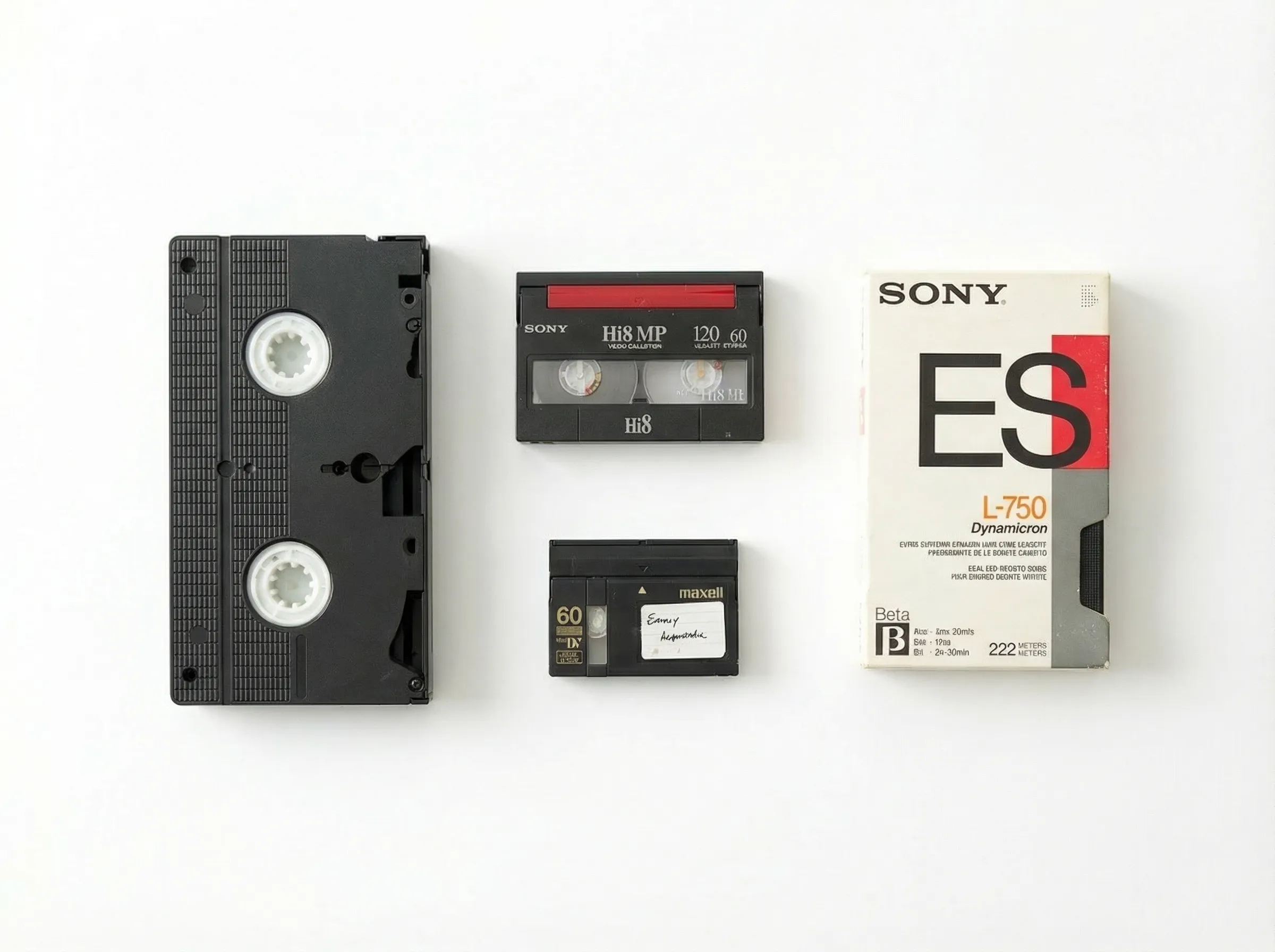
Mixed boxes are common: Hi8, MiniDV and Betamax need different decks than full-size VHS.
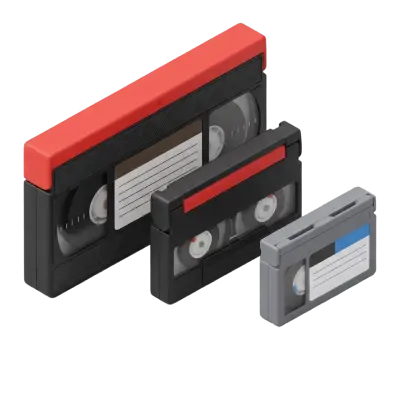
VHS-C camcorder tapes play in a VCR only with a working adapter, and the adapter's motor is a common failure point. Capture handles VHS-C at the same per-tape price as VHS.
S-VHS tapes need an S-VHS deck to show their full quality; a standard VCR may play them poorly or not at all.
PAL tapes recorded in Europe, Australia and much of Asia need a multi-system VCR, which most local shops and library labs don't have.
Betamax, Video8, Hi8 and MiniDV aren't VHS at all and need their own players. Mail-in labs usually take them in the same order.
Tapes with mold, a snapped ribbon or water damage should go to a repair-capable service before anyone plays them.
Factors to Consider When Choosing Where to Convert VHS
Cost: How much does it cost to convert VHS to digital? It ranges from free at a library to $35 or more per tape. Check whether a service charges per tape, per 30 minutes or per box, since long tapes cost very differently.
Quality: Professional labs generally beat DIY, but quality varies between providers too. Ask whether you get standard definition only or optional HD and 4K processing.
Turnaround: Capture processes orders in 2–3 weeks after arrival; most other mail-in labs list 4–6 weeks for standard service.
Security: Ask how individual tapes are tracked, not just the box. Capture barcodes every item.
Format support: If you also have VHS-C, S-VHS, Betamax, MiniDV, Digital8 or Super 8 movie to digital transfers to do, choose a place that handles them in one order.
Delivery format: Cloud download, USB drive or DVD. Not every service offers all three, and some charge monthly for cloud access.
Questions to Ask a Local VHS Transfer Shop
A local shop can be excellent or careless, and the shop's sign won't tell you which. Ask these before leaving your tapes:
Is the work done here or sent out? Some storefronts ship tapes to a third-party lab, which adds risk and time.
Do you charge per tape or per hour of footage? Bring one long tape's label so you can get a real number.
What do I get back? MP4 files, a USB drive or DVDs, and at what resolution.
Do you clean the tapes and the decks? A dirty deck can damage a fragile tape.
What happens if a tape is blank or won't play? Reputable services don't charge for failed or blank tapes.
How are individual tapes tracked? A written receipt listing every tape is the minimum.
Before You Hand Over Your Tapes
Whatever you choose, a few minutes of prep protects you:
Number every tape and photograph its label. This is your inventory if anything goes missing.
Write down which tapes matter most, so you can choose HD processing for those and SD for the rest.
Remove nothing from damaged cassettes yourself. Opening a shell or splicing a tape without the right tools often makes it worse.
Keep the originals afterward. Store them in a cool, dry place even once you have the files.
How to Ship VHS Tapes to a Mail-In Lab Safely
If you choose a mail-in lab, packing is the one part you control. Tapes survive shipping well when they can't move or get wet:
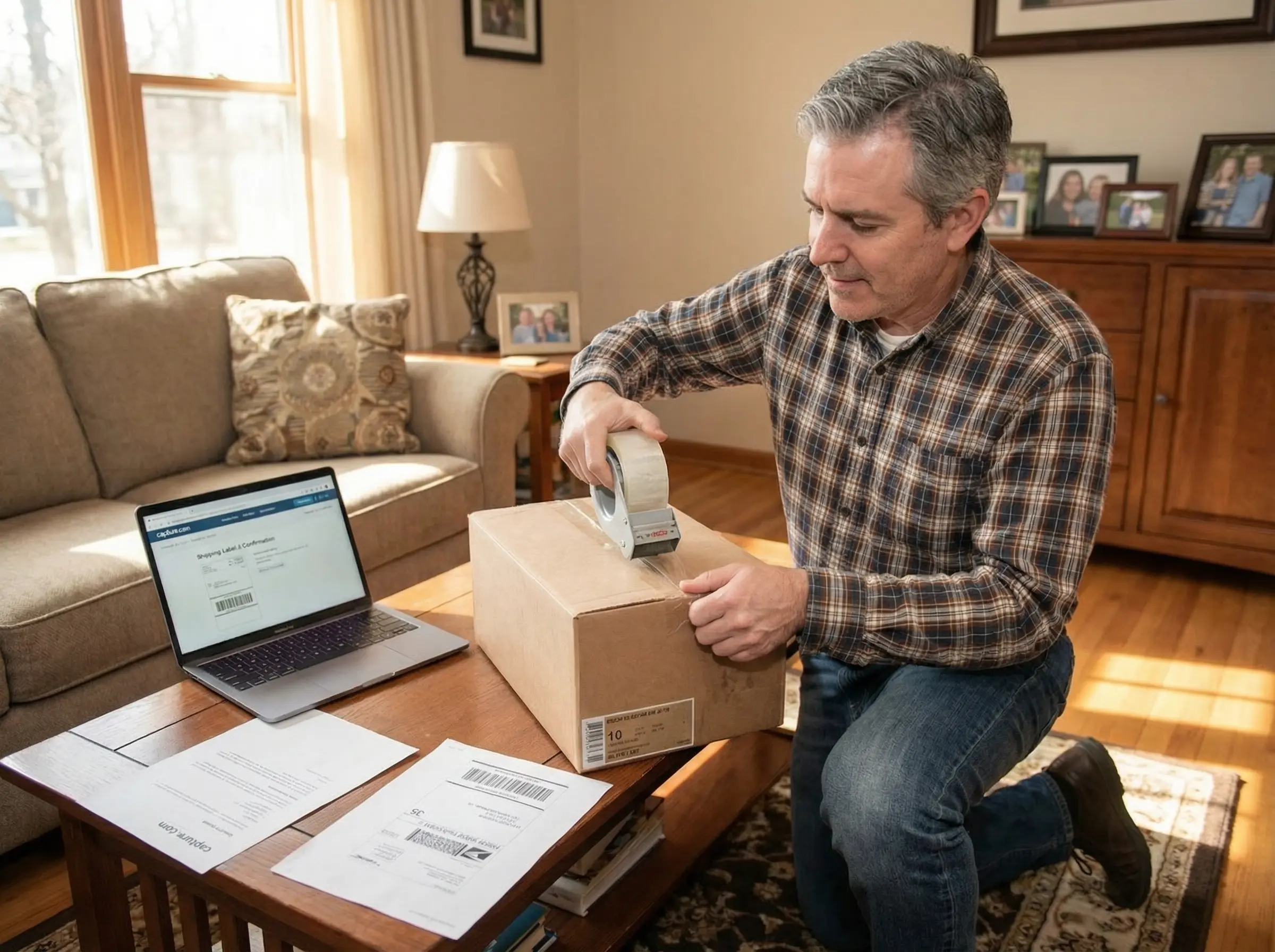
Pack tapes upright and snug so they cannot slide, and keep a list of every tape in the box.
Put each tape in its sleeve or case, with the label facing out so the lab can match it to your inventory.
Stand tapes on edge, spine up, like books on a shelf, rather than stacking them flat.
Fill every gap with crumpled paper or bubble wrap. Nothing should shift when you shake the box.
Line the box with a plastic bag if rain is possible on the way.
Keep magnets away. Don't pack tapes next to speakers or other magnetized items.
Use a tracked shipping service and keep the tracking number with your tape list.
Capture doesn't send a kit. You pack your own box, ship it with any carrier, and pay $12.49 for return shipping, or $24.98 if you want a prepaid FedEx label both ways.
How to Choose the Best Option for Your Needs
If you only have one or two tapes and a working VCR, DIY or a library Memory Lab may be enough. If you have dozens or hundreds of tapes, a professional service can save you hundreds of hours of real-time playback.
Specialized needs matter too. Damaged tapes call for a repair specialist first. If you want a finished, edited film, an editing firm is the better fit. Capture includes minor repairs and cleaning, but major restoration needs a specialist. Narrow the list by your needs, then compare cost and turnaround to decide what to do with old VHS tapes you want to keep. You'll also need a working old video camera or VCR for any at-home route.
Frequently Asked Questions
Where can I convert old VHS to digital? At a mail-in lab such as Capture, Legacybox or iMemories, at a Walmart, CVS, Sam's Club or Walgreens photo counter, at a local transfer shop, at a public library Memory Lab, or at home with a capture device and a VCR. Mail-in labs cost about $15–$35 per tape at regular prices as of November 2026.
How much does it cost to convert a VHS tape to digital? About $15–$35 per tape at mail-in labs and stores as of November 2026. Capture charges $19.99 per tape in SD regardless of length, Sam's Club $17.94 per tape, and Walmart $15.96 for the first 30 minutes plus $5.46 per additional 30 minutes. Library Memory Labs are free if you do the transfer yourself.
Can Walgreens transfer VHS to digital? Walgreens Photo sells videotape transfers starting at $34.99 as of November 2026, fulfilled by iMemories, and its current page lists DVD as the output for video. Our article on whether Walgreens transfers VHS tapes and photos to digital has the details.
Does CVS convert VHS to digital? Yes, at select stores. CVS Photo charges $25.99 per 2 hours of footage to DVD or $34.99 per 2 hours to USB, and both include a 60-day digital copy. Capture does the transfer work for CVS, as it does for Walmart and Sam's Club.
Is there a way to convert old VHS tapes to digital at home? Yes. Connect a VCR to a capture device, such as the Diamond VC500 ($39.99) or VIDBOX ($69.99) with a computer, or the ClearClick 3.0 ($209.95) without one, and record each tape in real time. You need a working VCR, and a 2-hour tape takes 2 hours.
Where can I convert VHS to DVD? CVS includes a DVD in its $25.99 per 2 hours price, Sam's Club adds DVD copies for $5.24 each, Walmart for $3.96 per disc, and Walgreens sells transfers to DVD from $34.99. Capture adds DVD copies at checkout alongside the MP4 files. Our guide on how to turn VHS into DVD covers the home methods.
Preserve Your VHS Tapes the Way That Works Best for You
So, where can I convert VHS to digital? For a few tapes, a library Memory Lab or a home converter is the cheapest route. For a store drop-off, Walmart, CVS and Sam's Club all send their tapes to the same lab. For the whole collection with HD or 4K options, tracking and a 2–3 week turnaround, Capture digitizes every tape in-house for $19.99 per tape in SD. See what your collection costs with the free quote tool.
Early access: 22% off orders $100+
You May Also Like

How to Transfer a CD to a USB Flash Drive: Music, Photos, and Files
To transfer a music CD to a USB flash drive, you have to rip it first: import the tracks as MP3 or AAC files with Windows Media Player or Apple Music, then copy those files to the drive. Dragging tracks straight from the disc only copies 44-byte ".cda" shortcuts that won't play, while photo and data CDs can be copied and pasted directly. A 16GB flash drive holds about 100 albums as 320 kbps MP3.

Does Walgreens Transfer VHS Tapes and Photos to Digital? What to Know Before You Decide
Yes, Walgreens transfers VHS tapes, film, photos, negatives, and slides to digital — but the work is outsourced to iMemories, not done in-store. Video converts to DVD, Blu-ray, or cloud; photos convert to USB only. Turnaround typically runs 3–5 weeks.
Forever Studios Reviews 2026: Is It Worth It? Quality, Pricing & Comparison
Yes, Forever Studios is a legitimate digitizing service. Based in Boca Raton, Florida, it specializes in transferring VHS tapes, camcorder tapes, film reels, photos, slides, negatives, and audio cassettes to digital formats. Most Forever Studios reviews praise the company's restoration quality and careful handling of sentimental media. The most common criticisms focus on quote-based pricing, longer-than-expected turnaround for some orders, and uncertainty over whether the Forever Gold upgrade delivers enough additional value. If preserving aging videotapes is your priority, Capture's VHS to Digital service includes published pricing, AI-enhanced restoration, and predictable turnaround times, making it easier to compare before placing an order.