How to Make a Birthday Slideshow
A birthday slideshow works best tracing the person's life year by year, mixing childhood photos with recent memories. Keep it between 5 and 10 minutes, choose songs meaningful to the honoree, and digitize any prints or film first so they reproduce cleanly on screen.

To make a birthday slideshow that truly stands out, start by thinking beyond the pictures - this is your chance to tell someone’s story through the moments that shaped who they are. Whether you're celebrating 8 or 80, the goal remains the same: highlight joy, connection, and the memories that matter most. Here’s how to bring it all together, step by step, into something meaningful and unforgettable.
Jump to:
- How Do I Start a Birthday Slideshow?
- How Do I Organize Photos for a Slideshow?
- How Do I Make a Slideshow with Pictures and Music for Free?
- What Is the Best Free Birthday Slideshow Maker?
- How Do I Design a Simple Birthday Slideshow?
- How Do I Adjust Timing and Transitions in a Slideshow?
- How Can I Share My Birthday Slideshow?
- Why a Birthday Slideshow Is the Perfect Gift
How Do I Start a Birthday Slideshow?
Before you dive into photos and music, pause to think about the story you want to tell. Is this a look back through decades of life? A celebration of friendships? A mix of funny and heartfelt moments?
A few common formats:
- Chronological: Best for milestone birthdays and life retrospectives
- Themed: Great for kids, hobbies, vacations, or surprise parties
- Top Memories: A curated “greatest hits” approach
Once you choose a structure, it becomes easier to decide which moments belong, and which ones don’t.

How Do I Organize Photos for a Slideshow?
Before building your slideshow, take time to organize photos with intention. This step sets the foundation for everything that follows.
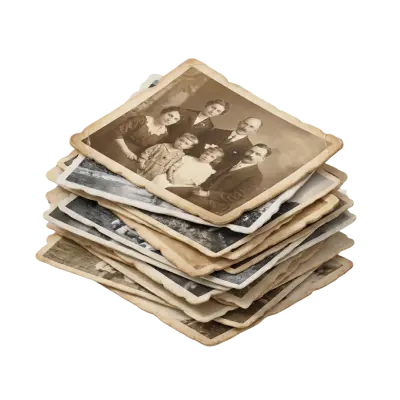
Sort your digital photos into folders by year, theme, or event. If you’re working with prints, be sure to digitize them first, especially older birthday photos, baby pictures, or family group shots. If you need help, Capture’s photo digitization service makes this process easy and safe.
You don’t need hundreds of photos. You need the right ones. Try to include:
- Different life stages
- Close family and friends
- Candid moments with real emotion
These are the images people will remember.
How Do I Make a Slideshow with Pictures and Music for Free?
Music sets the tone, so choose a track that fits the person you’re celebrating. A nostalgic ballad, a favorite song, or something upbeat and fun. If you're using the slideshow publicly (YouTube, social media), stick to royalty-free music from sites like Free Music Archive or YouTube’s audio library.
Pro tip: If your slideshow includes home movies, consider digitizing your super 8 movies ahead of time. A snippet of an old birthday party or childhood moment can be incredibly moving.

What Is the Best Free Birthday Slideshow Maker?
There are plenty of free tools that make slideshow creation easy, even if you’re not tech-savvy.
- Google Photos: Auto-generates basic slideshows in just a few clicks
- Canva: Offers fun templates with drag-and-drop customization
- Smilebox: Known for playful layouts and music-syncing features
- iMovie: Great for users who want more control and effects
Pick the one that matches how much time, and creative energy, you want to invest.
How Do I Design a Simple Birthday Slideshow?
Templates can save you time and create a polished, balanced look. Here are a few tips as you build:
- Use short captions to highlight people, places, or inside jokes
- Add birthday quotes or messages that feel personal
- Keep fonts large enough to read from a screen
- Avoid overcrowding with too many effects or images per slide
Consistency is key. A gentle fade or simple swipe transition keeps the focus where it belongs: on the moments.
How Do I Adjust Timing and Transitions in a Slideshow?
Play through your slideshow a few times. Do any slides feel too fast or too slow? Does the music match the mood? Adjust pacing to create a rhythm that feels natural - not rushed.
Watch it on multiple devices, especially if it’ll be shown at a party. Sometimes a small tweak in timing or layout makes all the difference. Make sure text is easy to read, transitions are smooth, and nothing feels distracting. Ask a friend or family member to preview it, fresh eyes can spot what you might miss. A few thoughtful edits at this stage can elevate your slideshow from good to truly memorable.
How Can I Share My Birthday Slideshow?
Once you're happy with your slideshow, export it as an MP4 or MOV file. These formats work well on TVs, projectors, and most streaming platforms.
Need ideas for sharing?
- Upload to Google Drive and share the link with family
- Play it at a party via USB stick or HDMI-connected laptop
- Email a private YouTube link for long-distance relatives
- Add a QR code to birthday cards so guests can rewatch later
You can also save the video to a family cloud album or pair it with a printed birthday photo book. For those who enjoy tangible mementos, consider burning the video onto a keepsake DVD or including it in a digital scrapbook.
Finally, back up your file in multiple places. Cloud storage, an external drive, and a saved copy on your computer ensure your work stays safe and easy to revisit in the years to come.

Why a Birthday Slideshow Is the Perfect Gift
A birthday slideshow doesn’t need flashy effects or expensive software. What matters is the care behind it. When you combine the right moments with meaningful music and thoughtful pacing, you create something more than a video. You create a keepsake.
At Capture, we believe in preserving life’s most important memories, and turning them into something shareable, lasting, and full of heart. So go ahead. Gather those favorite photos. Add the music that makes everyone smile. And give someone the gift of memory in motion.
Early access: 22% off orders $100+
You May Also Like

How to Transfer a CD to a USB Flash Drive: Music, Photos, and Files
To transfer a music CD to a USB flash drive, you have to rip it first: import the tracks as MP3 or AAC files with Windows Media Player or Apple Music, then copy those files to the drive. Dragging tracks straight from the disc only copies 44-byte ".cda" shortcuts that won't play, while photo and data CDs can be copied and pasted directly. A 16GB flash drive holds about 100 albums as 320 kbps MP3.

Does Walgreens Transfer VHS Tapes and Photos to Digital? What to Know Before You Decide
Yes, Walgreens transfers VHS tapes, film, photos, negatives, and slides to digital — but the work is outsourced to iMemories, not done in-store. Video converts to DVD, Blu-ray, or cloud; photos convert to USB only. Turnaround typically runs 3–5 weeks.
Forever Studios Reviews 2026: Is It Worth It? Quality, Pricing & Comparison
Yes, Forever Studios is a legitimate digitizing service. Based in Boca Raton, Florida, it specializes in transferring VHS tapes, camcorder tapes, film reels, photos, slides, negatives, and audio cassettes to digital formats. Most Forever Studios reviews praise the company's restoration quality and careful handling of sentimental media. The most common criticisms focus on quote-based pricing, longer-than-expected turnaround for some orders, and uncertainty over whether the Forever Gold upgrade delivers enough additional value. If preserving aging videotapes is your priority, Capture's VHS to Digital service includes published pricing, AI-enhanced restoration, and predictable turnaround times, making it easier to compare before placing an order.