Best Slide Viewers for Old 35mm Slides
A slide viewer is a small device used to look at photographic slides without a projector. It typically includes a backlight and magnifying lens that allows a single slide to be viewed clearly, making it useful for sorting, organizing, or previewing slide collections.

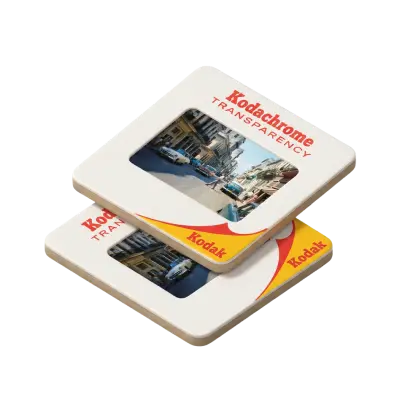
Finding a box of old slides is exciting until you realize how difficult those tiny transparencies are to see. Fortunately, you do not need to find a working carousel projector just to identify the people, places, and memories stored on them. A slide viewer illuminates and magnifies individual slides so you can inspect them easily. Some models are simple handheld viewers, others let you sort several slides at once, and digital viewers can display and save images electronically. If you have inherited a collection and are not even sure what type of slides you have, understanding the different photo slide formats is a good first step before choosing equipment.
Best Slide Viewers at a Glance
Slide viewer | Best for | Magnification/viewing | Main advantage |
|---|---|---|---|
KODAK 35mm Slide and Film Viewer | Best overall | 3x | Bright LED and easy slide loading |
Dot Line DL-SV3 | Desktop viewing | 3x | Glass lens and eject tray |
Kaiser Diascop Mini 3 | Portability | 3x | Small, simple design |
Kaiser Slimlite Plano | Sorting many slides | Light box | View several slides together |
KODAK Slide N Scan | Viewing + digitizing | 5-inch LCD | Saves slides as digital files |
1. KODAK 35mm Slide and Film Viewer: Best Overall
The KODAK 35mm Slide and Film Viewer is a good choice if you simply want to sit down with a box of old slides and start looking through them.
It uses 3x magnification and LED backlighting, which makes a 35mm image much easier to inspect than holding it toward a lamp or window. Slides load individually, and an eject mechanism helps move through a collection without repeatedly pulling each mount back out by hand.
The viewer can also accommodate 35mm film negatives, making it useful if your family archive contains a mixture of mounted slides and film strips.
Best for: most families, casual viewing, identifying slides
Pros:
3x magnification
Bright LED illumination
Works with mounted 35mm slides and film
Battery operation makes it portable
Simple enough to use immediately
Cons:
One slide at a time
Does not digitize the image
Not designed for group viewing
2. Dot Line DL-SV3: Best Desktop Slide Viewer
The Dot Line DL-SV3 is another strong choice for going through individual 35mm slides, particularly if you prefer a viewer that stays on a table or desk.
It combines 3x magnification with LED illumination and accepts both mounted 2 x 2-inch slides and 35mm film strips. A quick-eject button moves viewed slides into a collection tray, which is useful when sorting through a larger box.
That workflow is one of its biggest advantages. Instead of repeatedly inserting and removing slides from the same opening, you can work through them in sequence and keep inspected images together.
Best for: organizing collections, longer viewing sessions
Pros:
Glass viewing lens
3x magnification
LED lighting
Accepts slides and film strips
Eject button and collection tray
Cons:
Larger than a pocket viewer
Still limited to viewing one mounted slide at a time
Does not create digital copies
3. Kaiser Diascop Mini 3: Best Portable Slide Viewer
If you want something small and straightforward, the Kaiser Diascop Mini 3 is designed specifically for mounted 2 x 2-inch slides.
It provides 3x magnification in a compact body and runs on two AA batteries. A folding support lets it sit at an angle on a table, but it is also small enough to carry easily.
Unlike the KODAK and Dot Line viewers above, the Diascop Mini 3 uses a replaceable traditional lamp rather than modern LED illumination. That is not necessarily a problem for occasional use, but buyers who prioritize cooler, brighter LED lighting may prefer another option.
Best for: occasional use, portability, simple slide identification
Pros:
Compact design
3x magnification
Battery powered
Replaceable lamp
Simple operation
Cons:
No LED light
Works with individual mounted slides
No scanning capability
4. Kaiser Slimlite Plano: Best Light Box for Sorting Slides
A traditional handheld viewer is excellent for studying one image. If you have hundreds of slides and need to determine what is actually in the collection, a light box can be much faster.
The Kaiser Slimlite Plano provides an evenly illuminated surface where multiple slides can be arranged at once. Current models use dimmable 5000K LED lighting with high color rendering, which is useful when comparing photographs side by side.
You will not get built-in magnification, so pairing a light box with a loupe or magnifying glass makes it easier to inspect individual frames.
Best for: sorting large collections, comparing slides, organizing before digitization
Pros:
View multiple slides simultaneously
Even LED illumination
Adjustable brightness
Useful for slides and film negatives
Several sizes available
Cons:
No built-in magnification
Larger than handheld viewers
Not intended to project slides
A light box is particularly useful before deciding what to do with old slides, because you can quickly separate meaningful family photographs from duplicates, blank frames, or images you do not need.
5. KODAK Slide N Scan: Best if You Also Want Digital Copies
The KODAK Slide N Scan is technically a film scanner rather than a traditional slide viewer, but it belongs on this list because its large LCD makes it possible to view slides without a projector and save them digitally.
The current version has a 5-inch LCD screen and accepts 35mm, 110, and 126 slides and negatives. A built-in imaging sensor captures the photograph and saves it to an SD card.
This makes it more versatile than a simple illuminated viewer, but it is also considerably more expensive if all you want to do is identify what is on a few slides.
Best for: people who want to view and digitize slides themselves
Pros:
Large LCD screen
Creates digital files
No computer required for basic scanning
Supports multiple film formats
Useful for viewing images with other people
Cons:
More expensive than a basic viewer
DIY digitization takes time
Digital quality depends on the scanner rather than simply showing the original transparency
If digitization is your actual goal, there are several other ways to scan slides at home that may offer more control or higher-quality results.
How Can You View Old Slides Without a Projector?
You have several options for viewing old slides without a projector, and you do not necessarily need to digitize them first.
For simply identifying individual photographs, use a handheld or desktop slide viewer. If you need to sort a large collection quickly, use a light box and magnifier. A digital film scanner is better when you want to see a larger preview and save the image at the same time.
A traditional projector is still useful when you want the full-screen experience or want several people to view the same images together. There are still vintage slide projectors available on the secondhand market, although they require more setup and working older equipment.
Slide Viewer vs. Slide Scanner: What's the Difference?
The names are often used interchangeably online, but they are not the same thing.
Slide viewer | Slide scanner | |
|---|---|---|
Primary purpose | View the original | Create a digital image |
Magnifies image | Yes | Usually via screen/software |
Creates a file | No | Yes |
Typical setup | Very simple | More involved |
Best for | Sorting and identification | Preservation and sharing |
If your only question is “What's on these slides?”, a $30–$50 viewer may be all you need.
If your goal is to preserve the collection, send copies to relatives, create photo books, or view the photographs on a phone or TV, a scanner or professional digitization service is the more useful long-term solution.
What to Look for in a 35mm Slide Viewer
Before buying, consider how you actually plan to use it.
Magnification
A 2x or 3x viewer is usually enough to identify people and scenes. Greater magnification can help with detail, but a basic viewer is not intended for judging the image at scanner-level resolution.
Lighting
LED illumination is generally convenient because it is bright, consistent, and generates less heat than older incandescent designs.
Slide Compatibility
Most family slides are mounted in standard 2 x 2-inch mounts, but not every transparency collection is identical. Confirm that the viewer supports the format you have.
The underlying transparency itself is positive photographic film, and the characteristics of slide film differ from negative film, even though some viewing devices support both.
One Slide or Many?
For a handful of photographs, a handheld viewer is easiest. For hundreds of slides, a light box is much faster for the initial sorting process.
Viewing or Preserving?
A viewer lets you enjoy the original slide, but it does not create a backup. If the photographs are irreplaceable, viewing can be the first step before deciding which slides should be digitized.
Should You Buy a Slide Viewer or Digitize the Slides?
A slide viewer makes sense if you enjoy viewing the original transparencies or need an inexpensive way to identify what's in an inherited collection.
Digitization solves a different problem. It gives you copies that are easier to share, organize, back up, print, and view on modern devices.
For a few dozen slides, DIY scanning may be manageable. With hundreds or thousands, manually loading, capturing, checking, and naming every image can become a substantial project.
Make Your Old Slides Easier to Enjoy
The KODAK 35mm Slide and Film Viewer is the best all-around choice here for simple viewing, while the Dot Line DL-SV3 is useful for longer sorting sessions. The Kaiser Diascop Mini 3 works well when portability matters, and a Slimlite Plano light box is better for looking through many slides at once.
If you want to preserve the photographs rather than only view them, Capture can convert old slides to digital so the images can be viewed, shared, and backed up without repeatedly handling the original transparencies.
You can still keep the physical slides and use a viewer whenever you want the traditional experience, while the digital copies make the memories much easier for the rest of the family to enjoy.
Frequently Asked Questions
What is the best slide viewer for old slides?
For most people, a 3x illuminated 35mm viewer is the easiest option. The KODAK 35mm Slide and Film Viewer combines 3x magnification, LED lighting, and straightforward loading.
How can I view 35mm slides without a projector?
Use a handheld slide viewer, desktop viewer, illuminated light box, or digital film scanner. A simple magnifying viewer is usually the least expensive option.
Can a slide viewer show negatives?
Some can. Models such as the KODAK 35mm Slide and Film Viewer and Dot Line DL-SV3 can also illuminate compatible 35mm film strips.
Is a slide viewer the same as a slide scanner?
No. A slide viewer illuminates and magnifies the original transparency. A scanner captures the image and creates a digital file.
What is the best way to view hundreds of old slides?
A light box is generally faster for the initial sorting process because several slides can be placed on the illuminated surface simultaneously. A magnifier can then be used to inspect individual images more closely.
Do old slides need to be digitized?
Not necessarily, but digitization with Capture creates a backup and makes the photographs easier to share and view. It is especially useful when the slides contain irreplaceable family images.
20% OFF + A FREE VAULT
You May Also Like

Choose the Best Carousel Slide Projector Still Available in 2026
A carousel slide projector displays 35mm (and other 2″×2″) slides from a circular tray, rotating each one into place and projecting it onto a screen. For most people the best option is a Kodak Carousel — like the 5600 — for its reliability and image quality, though Vivitar, Leitz, Sawyer's, and GAF models are also solid choices. Since they're no longer manufactured, you'll be buying used, typically for $50–$400 on eBay or from specialty sellers.

Where to Convert Slides to Digital Near Me
To find local slide digitization, search for camera shops or photo labs in your area. Capture offers slide scanning with local drop-off in Atlanta and cloud delivery. For those outside major metro areas, mail-in services like ScanCafe and Legacybox accept slide carousels and loose slides with prepaid shipping.

Honest Review: Best Slide Scanners Reviewed for Quality & Value
The best slide scanner for most people is the Kodak Slide N Scan, which balances quality, ease of use, and price in a computer-free device. For the sharpest, archival-grade results, the Plustek OpticFilm 8100 leads at 7200 DPI, while budget picks like the DigitNow and Magnasonic all-in-ones cost under $70. For large or fragile collections, a professional slide scanning service digitizes everything for you at high resolution — with no manual work required.