Alternative Options to Costco Photo Scanning Services
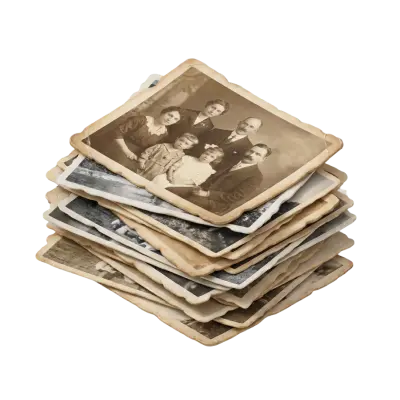
Costco no longer digitizes photos, slides, or negatives — through Shutterfly it now offers only prints and photo gifts. For most people the best alternative is Capture, the company that actually fulfilled Costco’s photo scanning for years: it scans prints, slides, and negatives in one order, starts at $19.99 for 50 images, returns orders in about 2–3 weeks, and lets you drop off in Atlanta, drop off at CVS or Walmart nationwide, or mail your order in. ScanCafe and Legacybox are solid mail-in alternatives, a dedicated scanner like the Epson FastFoto suits hands-on DIYers, and a phone app works in a pinch for small batches.

Beginning on January 28, 2023, Costco completely transitioned its Photo Centre to Shutterfly. There are some significant changes, including the fact that they no longer offer digitisation for your photos. For Costco Members and fans who trusted these services for years, this may come as an unwelcome surprise. That’s why we put together a list of the top alternatives to Costco photo scanning services so you can decide which option works best for you and the reasons you want to scan photo prints.
What is Costco Photo Scanning Service, and Why Would I Need an Alternative?
Costco's photo scanning service was a speciality service offered by the Costco Photo Centre. However, the photo centre went through a transition and handed its print and photo-gift services to a third-party company, Shutterfly, while discontinuing photo, slide, and negative scanning entirely.
The main change with Costco photo scanning services is the fact that your local Costco will no longer be offering digital copies of your priceless photographs, negatives, and slides.
With Shutterfly, Costco will still be able to create photo prints of several sizes and offer resizing, printing, and photo gift creation like special order prints, photo blankets, mugs, and more.
If you just want to order prints or use these services, they remain a trustworthy and professional option, but if you are looking to improve the image quality and DPI resolution with Photoshop, create digital format photos, share on social media or email, or upload to a cloud account, then you will need to find an alternative.
Previously, Costco digitized photos for $19.99 for the first 62 photos on 2 DVDs, with a charge of $0.32 for each additional photo after that. However, the previous website, CostcoDVD.com, is no longer available.
Pros and Cons of Costco Current Photo Services (After Scanning Was Discontinued)
Note: Costco no longer scans photos. The pros below describe the print and photo-gift services Costco still offers through Shutterfly today.
Pros
Reputable company
Local Costco photo services to answer FAQs
High-quality print photos
Photo gifts like photo books, photo blankets, and more
Cons
No digital copies of photos
No digitization for film reels, videotapes, and other video formats
No integration with Google Photos
Costco Membership fees of $65 per year minimum
How to Choose the Best Alternative to Costco Photo Scanning Service
Before you pick a service, weigh it against what mattered about Costco’s. Five factors decide which alternative is right for you:
Format support — can it handle prints plus slides, negatives, and Superslides, at your sizes? Capture, ScanCafe, and mail-in kits can; a phone app is effectively print-only.
Digital delivery — how you get your files back: download, cloud (like Google Photos), USB, or DVD.
Cost — most services charge per image, and DIY is cheaper upfront but costs your time. Capture starts at $19.99 for 50 photos, then $0.29 each.
Quality — look for color correction, glare removal, and restoration of faded or damaged prints, not just a flat scan.
Safety — your originals are irreplaceable, so favor services with order tracking, secure handling, and a satisfaction guarantee (Costco’s old service had a 90-day guarantee; look for something comparable).

5 Alternatives to Costco Photo Scanning Service
Since Costco will no longer offer digital transfer services to create lasting versions of your photos, these are the best alternatives to choose from. Each offers different pros and cons that you will want to consider before deciding which of the options is best for you and your photos, negatives, and slides.
Each alternative below is scored out of 10 based on output quality, format support (prints, slides, negatives), convenience, turnaround time, and overall value.
Capture Photo Scanning Service
If you have used Costco photo scanning service over the years, then your order was processed by Capture, even if you didn’t realize it. We’ve been the trusted digitization and photo scanning company for Costco and many other brands like Walmart, CVS, and Sam’s Club. Many Costco members may not recognize our name, but as one of the top companies that digitize photos, we’ve been providing the high-quality photo scanning services you’ve come to rely on.
This may be because YesVideo, Capture’s parent company, was the brand seen on CostcoDVD.com, where our digitization services were previously offered.
Even though that site is no longer available, you can get the same professional digitization — at the same kind of member-friendly value — by ordering directly at Capture.com.
Ordering from Capture gives you access to our full range of services, including our patented touchless photo album scanning and 8-Layer Glare Removal technology.
Every order comes with professional photo scanning, a 100% satisfaction guarantee, and a typical turnaround of 2–3 weeks from when we receive your media.
Here’s how the current pricing breaks down:
Service | Capture.com pricing (2026) |
Loose photos, slides & negatives | $19.99 for the first 50 images, then $0.29 each additional |
Photo albums & scrapbooks (touchless) | $19.99 for the first 50 images, then $0.39 each additional |
USB flash drive (your entire order) | $14.99 add-on |
Included with every order | High-resolution digital download + 90-day MemoryCloud access + Google Photos Auto-Sync |
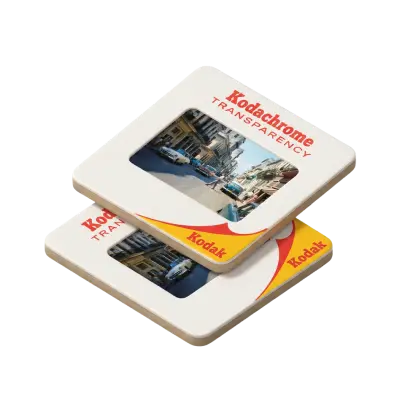
Capture takes utmost care when preserving your print photos, negatives, and slides with the highest quality. We accept 35 mm, APS film, 110 film, 110/220 film, 126 Instamatic film, and large negatives as well as 35 mm, Super 35 mm, 110/220, 126, 127, and 127 Superslide slides.
We also offer the first-ever touchless photo album scanning service in the world. This allows us to scan, crop, and preserve the photos in your photo albums using our patented 8-Layer Glare Removal technology — so we can capture images straight through plastic album sleeves without anyone ever having to remove or touch them.
Prefer not to mail your memories? Capture gives you more ways to get started than almost any other service. You can drop off your photos in person at our Atlanta-area studio in Norcross, GA (Monday–Thursday, 10 AM–4 PM, walk-ins welcome), book door-to-door pickup across metro Atlanta, or use in-store drop-off at CVS and Walmart locations nationwide — all fulfilled by Capture. You can also ship your order to us with a prepaid label.
Pros
High-quality results including glare removal, professional cropping, and color correction, plus restoration of faded or damaged prints
High-resolution output — 12 MP JPEG files for loose photos and up to 240 MP per scanned album page
State-of-the-art security system, barcode tracking, and 24-hour monitoring to ensure your photographic memories are safe at all times, every step of the way
Transferred in 2–3 weeks, including shipping
One-of-a-kind touchless scanning service so you never have to risk damaging your photos by removing them from your photo books, albums, or scrapbooks
100% satisfaction guarantee or we’ll reprocess your print photos, slides, and negatives for free, backed by a 60-day quality guarantee
Offers 90-day MemoryCloud back-up and Google Photos Auto-Sync, with a USB flash drive available as an add-on
Trusted by more than 12 million families and the fulfillment partner behind major retailers like CVS, Walmart, and Sam’s Club
Flexible ways to order — Atlanta studio drop-off, metro-Atlanta door-to-door pickup, nationwide CVS/Walmart drop-off, or mail-in
Cons
We only accept photos from 2” x 2” up to 8” x 12” (or albums up to 14” x 14”)
Score: 9/10
Photo Scanning Machine
If you want to scan your photos yourself, then a photo-scanning machine is the best option. This can be a simple flatbed scanner as an affordable option, but for the best results, options like the Epson FastFoto and other specialty scanners designed for photographs are best because they will create individual JPEG files of every photo.
While these options give good results, they can cost a decent amount of money from $300 to $500+. Still, if you like using technology and DIY projects, then this one is a pretty good option for good results. Plus, some scanners also offer additional editing and advanced features.
Pros
Good quality results
Creates individual JPEG files for each photo you scan
Some offer photo editing software, slideshow creation, and other advanced features
Cons
Expensive for the best options
Time-consuming because you have to scan each image individually
Targeted toward tech-savvy users
Score : 7/10
Online Photo Conversion Kits
These types of services will send you a protective box or kit to place your photos into before shipping them back to them for digitization. These services offer professional results for your photos and are typically reliable. However, that depends greatly on the specific company you choose.
iMemories uses ultra-protective boxes with bubble wrap as well as an app to track your order and view your memories. However, they can get expensive with their regular pricing starting at $0.99 per photo (though they frequently run promotions that cut that roughly in half).
Another photo-scanning kit company is Legacybox. They have great reviews that say their service is excellent when it comes to quality, but they are pricier for small orders — their 2-item Starter Kit runs about $59.98 for roughly 50 photos, with standard processing of 4–6 weeks.
ScanCafe is another well-regarded mail-in option, with scanning from about $0.29 per image (lower with bulk Value Kits), hand color-correction, and optional photo restoration; just note that turnaround typically runs 4–6 weeks.
Pros
Convenient
Professional results
Different digital format options available like DVD transfer, USB, and digital download
Can digitize print photos, negatives, and slides
Cons
Some companies may not treat your memories with the care you’d hope for (according to some reviews)
Expensive
Processing time could be as long as 10 to 12 weeks
Some may not perform color correction or image enhancement
Score : 6/10
Other Retailers
There are several local retailers offering photo digitizing services, providing convenient options for your needs.
When considering a local service, Costco was not the only option available. Retailers like Walmart, Sam’s Club, Walgreens, and CVS still offer digitizing services, though Costco no longer provides this option. These alternatives can deliver good results, but the cost may vary depending on the retailer’s pricing structure. It’s worth knowing that CVS and Walmart photo digitization is actually fulfilled by Capture (YesVideo) behind the scenes — so you can drop off at those stores nationwide and still get Capture quality.
Still, this option offers some good advantages like good customer service, trusted brand names, and local convenience. However, we urge you to check with the specific retailer to check their pricing and the services they offer, as well as reviews.
Pros
Many are fulfilled by YesVideo (parent company of Capture) for professional outcomes
Reputable customer support
Local convenience
CVS and Walmart offer in-store drop-off and pick-up options
Cons
Pricing depends on the specific retailer
Processing times may be long
Not every location offers these services
Score : 5/10
Use a Photo Scanning App
You can use a photo scanning app to take advantage of the camera on your smartphone to digitize photos quickly, affordably, and conveniently. Photomyne is one of the popular apps that helps you do this properly. While this is an easy way to create digital copies of your photos, there are some downsides as well.
The quality will depend on the quality of your camera, so you could end up with low resolution, poor image quality, glares, and faded colors. In addition, it can take a lot of time to get the atmosphere and lighting correct and then take every single digital image.
Pros
Affordable (if you already have a decent smartphone camera)
Easy to do
Cons
Time-consuming
Poor quality
May show more reflections, dust, and background
Score : 3/10
What is the Best Alternative to Costco Photo Scanning Service?
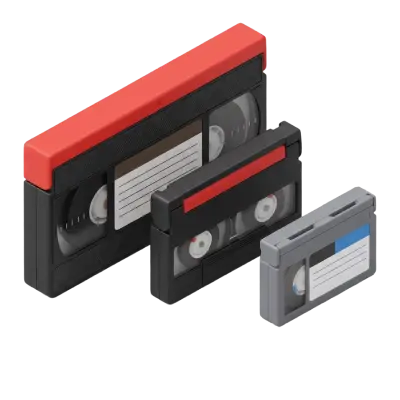
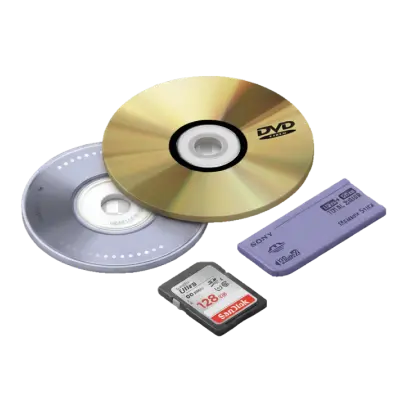
If you are looking for a photo scanning service, Costco is a good option for prints and photo gifts, but they can no longer convert your physical photos to digital copies. If you are looking for similar deals to the ones Costco used to offer, you can order the same professional digitization directly at Capture. Plus, we also convert home videos including projector film, MiniDV, VHS, VHS-C, Betamax, and more, now with SD, Full HD (AI-upscaled 1080p), and 4K UHD (AI-upscaled) quality tiers. Beyond video, Capture also digitizes 8mm, Super 8, and 16mm film reels, audio cassettes and reel-to-reel tapes, and digital media such as SD cards, floppy disks, and old USB drives.
We may be biased, but for these reasons and more, we believe Capture is one of the best alternative options to Costco photo scanning services. Ready to preserve your memories? Get a free quote, start your digitization project, or chat with a Capture expert — we’re here to answer your questions and help you make the best decision for your priceless photographs.
You May Also Like
What Resolution Should You Scan Old Photos At?
Scan standard prints at 300–600 DPI, and scan slides or negatives at 2000–4000 DPI — negatives and slides need far more resolution because the original image is physically much smaller than a print. Choose the higher end of each range for archival copies or anything you might want to enlarge later.
Why Old Photos Turn Yellow (And How to Stop and Fix It)
Old photos turn yellow because the dyes and paper chemicals used to make them break down over decades — mainly through dye coupler instability, acid migration from old albums, and exposure to light, heat, and humidity. Photos from the 1970s and 80s are hit hardest because of less stable dye formulas and cheaper consumer paper. Most yellow casts can be corrected with color-corrected scanning; physical damage like tears or severe fading cannot.

TIFF vs. JPEG: What’s The Difference?
TIFF files are uncompressed and preserve full image detail, making them preferred for archiving and professional printing. JPEG uses lossy compression that permanently discards image data with each save. For digitized photos intended for long-term preservation, TIFF is the better archival choice while JPEG works well for sharing.